BasytArabic-first accessibility
An accessibility product exploration built around Arabic reading, clear controls and a quieter interface. I used working iterations to connect the promise on the landing page with the experience of the accessibility widget.

Arabic-first accessibility
What I brought
Arabic-first experience direction, interface design and AI-assisted development.
How I built it
- 01
Start with reading
Shape the experience around Arabic text, reading direction and typography, then extend the interface across Arabic, English and French.
- 02
Make controls legible
Organize language separately from size and position settings, with a clear reset action in the widget footer.
- 03
Reduce visual noise
Refine headline spacing and the editorial layout. Remove decorative outlines from examples while retaining highlights that explain a specific tool.
Give language its own place in the controls.
Language affects the whole experience. Separating it from widget size and position keeps a primary reading choice distinct from display preferences.
The thinking behind Basyt
Start with Arabic reading.
Shaped around Arabic text and direction first, then extended to English and French.
Make controls legible.
Language sits apart from size and position, with a clear reset in the footer.
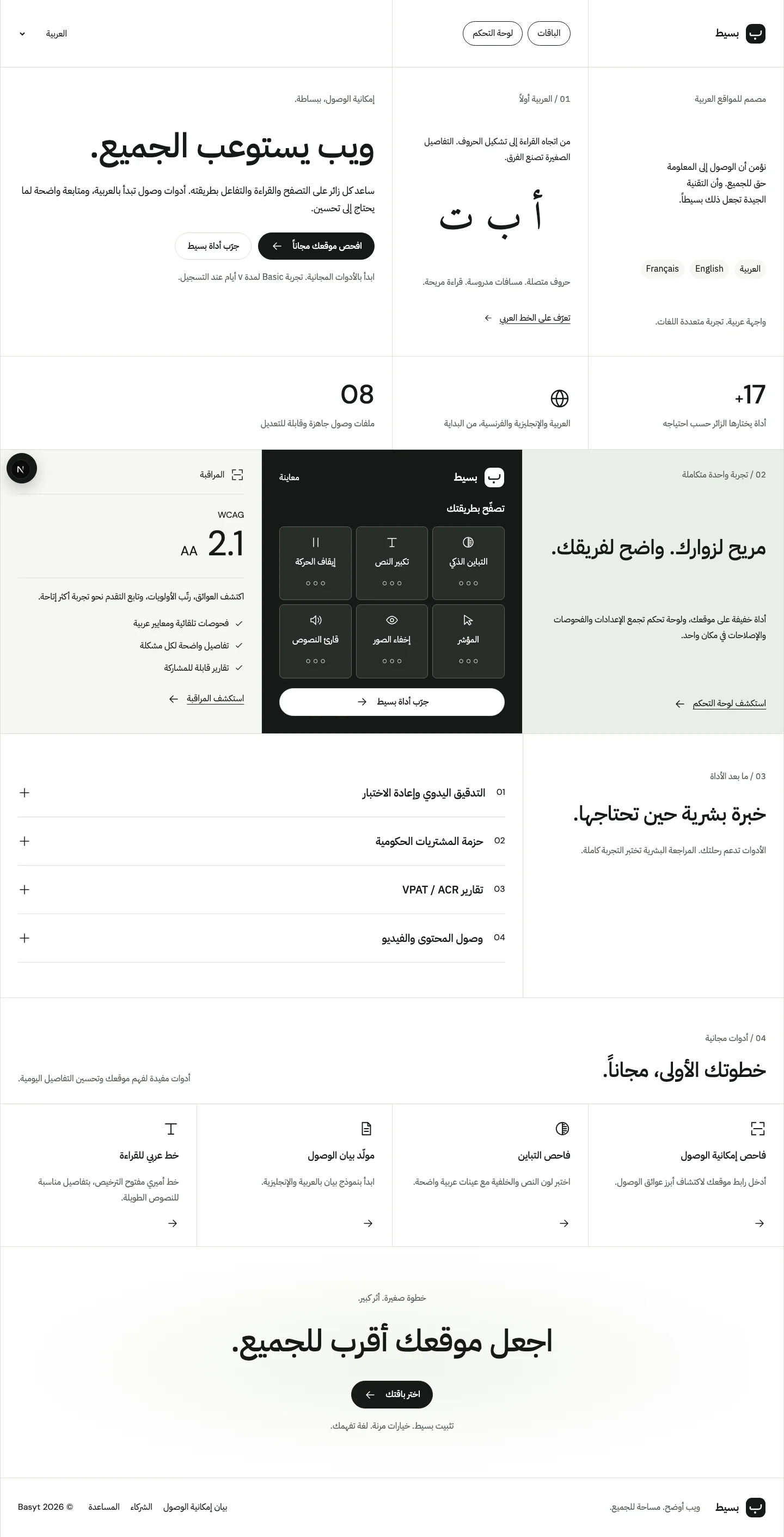
Actual development capture. Right-to-left reading and Arabic typography shape the product page.
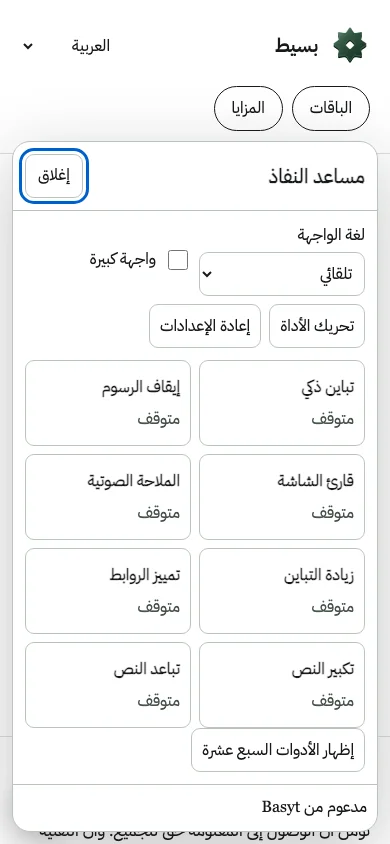
Actual mobile widget capture. Language, display preferences and reading tools have distinct controls. The blue ring is the control focus indicator.
Accessibility tool icons

Original artwork used by the product, not a screenshot of the widget.
Accessibility product prototype. Compliance has not been independently audited.